RFID for Library Management System,From Self-Checkout to Intelligent Inventory — The Full Evolution
获取链接
Facebook
X
Pinterest
电子邮件
其他应用
1. Why Do Libraries Fall in Love with RFID?
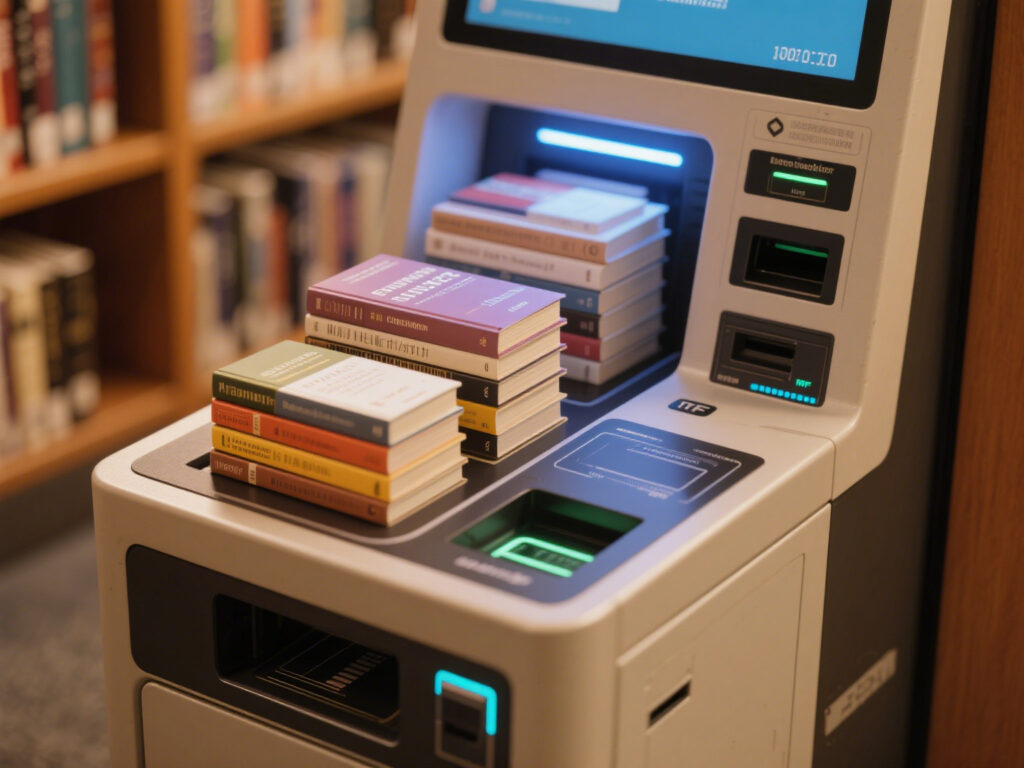
If you’ve been to a large public library, chances are you’ve seen this: a reader walks up with a stack of books, places them on the self-checkout machine’s sensor area, hears the familiar beep, and in just a few seconds, the borrowing process is complete. No hunting for barcodes, no long lines waiting for staff to manually log each item. Behind all this? RFID (Radio Frequency Identification) quietly doing the heavy lifting.
My first encounter with RFID was in a librarians’ break room, hearing them reminisce:
“We used to shut down the library for three full days just to do the year-end inventory.” Now? With a handheld RFID inventory scanner, they just walk through the shelves and the stock is updated automatically. The efficiency jump is so big it almost feels like cheating.
2. Breaking Down the Core Functions
Self-Checkout & Check-in
The most obvious benefit of RFID: no need to scan each book individually like barcodes require. Multiple items can be identified in one go, instantly doubling the check-in/check-out speed. For readers, this means shorter queues; for librarians, it’s freedom from repetitive manual scanning, freeing up time for more meaningful patron services.
Inventory Tracking
In the barcode era, “missing” books often meant endless manual searching. RFID pinpoints the shelf location within seconds. I’ve seen a local library with 80,000 items finish its annual inventory in just two days—a process that used to take five times as long.
Security Gates
RFID tags automatically deactivate their security status when a book is borrowed and reactivate upon return. This has dramatically improved the accuracy of security gates. That said, some librarians privately admit false alarms still happen—especially when tags are damaged or there’s signal interference.
Data & Analytics
What many library directors value most is the backend data: borrowing trends for popular titles, shelf time for low-demand books, circulation spikes during specific hours, and more. This data isn’t just for reports—it feeds directly into smarter purchasing and targeted event planning.
3. The Real-World Pitfalls & Fine Details
It’s easy to talk about RFID on paper, but implementation is where the real challenges lie. For example:
Tag placement must be consistent—otherwise, scans can miss items.
RFID reader power needs fine-tuning: too low and items won’t scan; too high and you risk reading books from neighboring shelves.
Metal shelving reflection can cause interference, especially in older libraries with steel stacks.
Budget planning must consider that it’s not a one-off cost—tag wear and equipment upkeep are ongoing expenses.
I once saw a library try to “fix” fallen tags with clear tape. The result? Not only did it look unprofessional, but the scanning success rate dropped. These small details often get overlooked, but they can make or break an RFID system’s performance.
4. Conclusion
RFID is like giving a library a set of “eagle eyes” and “extra hands.” It won’t replace librarians, but it will free them from mechanical tasks so they can focus on higher-value reader services. Still, this “smart assistant” needs careful human fine-tuning to reach its full potential.
Android NFC and RFID Tags: Technical Principles and Compatibility NFC (Near Field Communication) is a short-range, high-frequency wireless communication technology operating at 13.56 MHz, with a typical transmission range within 10 cm. RFID (Radio Frequency Identification), on the other hand, uses radio waves to transfer data wirelessly for identification purposes, with a broader frequency spectrum including low-frequency (LF), high-frequency (HF), and ultra-high-frequency (UHF) bands. From a technical standpoint, Android NFC devices mainly support high-frequency RFID tags (13.56 MHz) that comply with ISO 14443 and ISO 15693 standards—such as MIFARE tags. However, most Android devices cannot directly read low-frequency (125 kHz) or UHF (860–960 MHz) RFID tags, which are common in warehouse management. Reading such tags typically requires external UHF RFID modules or specific SDK integration for Android compatibility. Real-World Applications of Android NFC Rea...
Let’s talk RFID frequencies. Honestly, picking the right one isn’t rocket science, but it does make a huge difference. Your choice affects how far a tag can be read, how fast data zips over, and whether your system actually behaves in the real world or just “works on paper.” There are basically three main frequency types: Low Frequency (LF) , High Frequency (HF) , and Ultra-High Frequency (UHF) . Each has its quirks, pros, cons, and ideal use cases. Let’s break them down. 1. Low Frequency (LF) RFID Frequency Range: 30 kHz – 300 kHz (usually 125 kHz or 134.2 kHz) Read Range: Around 10 cm – yep, really short. Coupling Type: Inductive (near-field) So LF tags—these guys are old-school but reliable. They use electromagnetic induction, which basically means the reader has to be close, like really close. And yes, they’re slow compared to the other types. But here’s the kicker: metal or water? Doesn’t faze them. That’s why vets, car key systems, or som...
When people talk about antenas RFID , they’re basically talking about the part of an RFID system that decides whether your tags get read smoothly or your whole setup keeps missing items for no reason. Good antennas expand the read zone, stabilize the signal, and make sure the reader can actually “see” tags in fast-moving, messy, or high-density environments. If you look at brands like Zebra or big RFID suppliers, their antennas are all built for one thing: high throughput, solid coverage, and dependable reads in any environment —from a retail stockroom to a noisy warehouse dock. And this trend is the same across the industry: whether you buy from which manufacturer, the goal is always real-time visibility and stable performance. Now, if you’re searching for something in this “antenas RFID” category but want a more practical, durable, and easy-to-deploy option, the Cykeo CK-A11 UHF RFID Reader Antenna is a strong fit. Why CK-A11 Stands Out (In Real Use, Not ...



评论
发表评论